Labeling technology in 2026 connects digital design, printing, data systems, and quality control. But how does labeling technology work in real production environments? The process begins when a product record enters labeling software. The system retrieves approved text, graphics, barcodes, and regulatory details. It then creates a label template suited to the product, package, and printer. Variable information may include batch numbers, expiration dates, serial codes, or language versions.
Modern platforms often use cloud databases, artificial intelligence, machine vision, and automated verification. A camera can inspect each printed label within seconds. It checks barcode readability, color placement, character accuracy, and missing information. If a code fails inspection, the system can stop the line and alert an operator. This practical safeguard reduces recalls and protects traceability. However, automation does not remove responsibility. Experienced teams still review templates, test materials, and approve changes before production.
Reliable labeling also depends on suitable adhesives, ink durability, printer calibration, and clear data ownership. A label may look correct on screen but fail after refrigeration, sunlight, moisture, or repeated handling. That is an important weakness. Technology cannot compensate for poor source data or careless approval procedures. In 2026, responsible manufacturers combine automated controls with documented human oversight. They follow applicable standards and local requirements without assuming one template fits every market. The strongest systems leave an audit trail, support controlled revisions, and make errors visible before products reach customers. Yet continuous testing remains necessary, because real packaging conditions can reveal problems that laboratory checks miss.
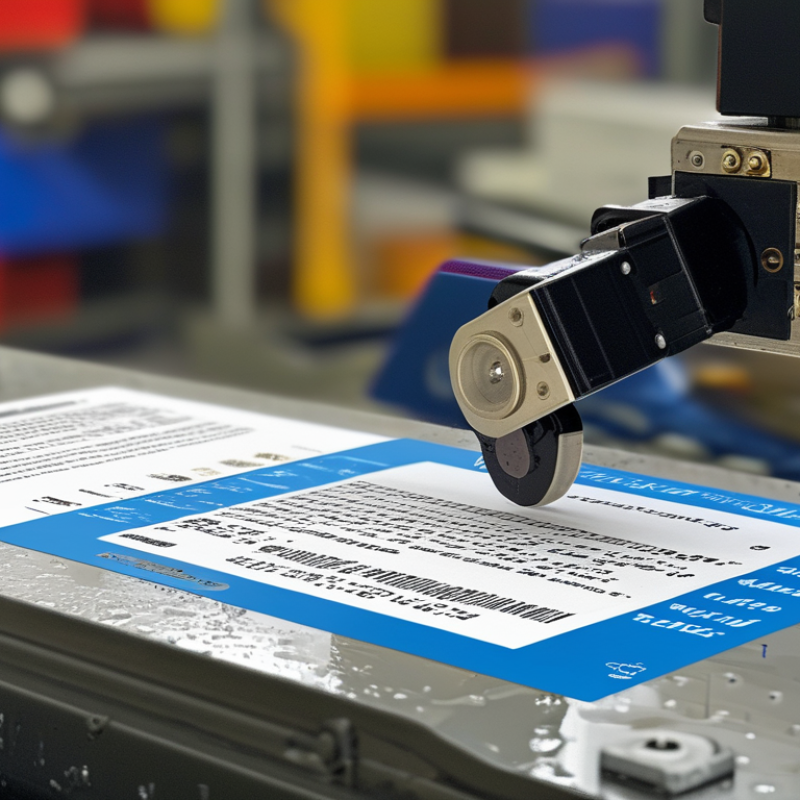
Labeling technology combines software, printers, scanners, and connected databases. It creates labels that identify products, packages, shelves, equipment, or documents. A central system stores details such as item numbers, dates, locations, and handling instructions. It then turns those details into readable text, barcodes, QR codes, or RFID data. Automation reduces repetitive work.
In a warehouse, an operator may scan an item and select a prepared template. The system fills the label with verified information and sends it to a printer. A scanner checks whether the code matches the stored record. This simple check can prevent misplaced stock or incorrect shipments. In regulated workplaces, access controls and audit trails also show who changed a label and when.
Real performance depends on small physical details. A smudged ribbon, weak contrast, or curved surface can make a correct label unreadable. Not always. Testing should include distance, light, moisture, and handling conditions. A practical team may print samples, scan them repeatedly, and review failed results. However, automation is not flawless. A rushed template can repeat an old date across hundreds of labels. That risk deserves human review, especially when data changes quickly. The technology supports accuracy, but it cannot repair careless source information.
A modern labeling system begins with accurate product data.
It connects item codes, batch details, dates, and destination information in one controlled workflow. It starts with data. Small errors matter. A misplaced digit can send the wrong label to a production line. Experienced teams usually validate templates before printing begins, using sample records and physical product measurements.
The main hardware includes a label printer, applicator, sensors, and a verification camera. The printer controls heat, speed, and print contrast. The applicator places each label at a defined position, even on curved containers.
Sensors detect gaps between labels and confirm product movement. A camera checks readable text, barcodes, alignment, and missing labels. When a fault appears, the system can pause the line instead of creating a larger batch of defects.
Software provides the control layer.
It manages approved designs, user permissions, audit trails, and connections with inventory or production systems. Material choice matters too. Paper may suit dry cartons, while synthetic stock handles moisture and abrasion more effectively. Nothing is truly automatic. Dust, uneven surfaces, poor lighting, and rushed maintenance can still reduce accuracy. I have found that simple checks often reveal problems advanced features miss. Operators should inspect the first printed label, review rejected items, and record adjustments. That human feedback keeps the system reliable, although no setup remains perfect forever.
How Does Labeling Technology Work in 2026?
A label begins as structured data, not ink. Product codes, batch details, dates, and destination rules enter a labeling system. The software checks fields, applies a template, and sends a print-ready file to a thermal, inkjet, or laser device. For digital labels, the same data can become a QR code, serialized record, or cloud-linked product page.
According to Smithers’ 2024 analysis, digital label printing continues to grow because it supports short runs, variable content, and faster job changes. Mordor Intelligence also reports steady expansion in the global labels market, supported by logistics, retail, and regulatory traceability. The numbers sound confident. Real operations are less tidy.
A production line may reject a label because one character is missing. A sensor may read a weak barcode. Human review still matters. It catches context that software cannot understand. In practice, teams test contrast, adhesive performance, scan distance, and data accuracy before release. A printed label can look perfect and still fail at a warehouse scanner. That is the uncomfortable part. Better automation reduces mistakes, but it does not remove responsibility.
How data becomes a printed or digital label
Labeling systems typically convert product, logistics, or traceability data into an encoded symbol and then render it on a printed surface or display it digitally. The chart compares the theoretical maximum number of numeric characters supported by widely used standardized symbol formats. Actual capacity depends on symbol size, error correction, print quality, scanning distance, and the amount of data selected for the label.
Smart labels connect physical products with digital systems through unique identifiers. A printed QR code can link to product details, batch information, recycling instructions, or a changing web page. NFC labels support short-range phone interactions. RFID labels communicate wirelessly with readers across warehouses and stores. The data then moves through inventory, logistics, compliance, and customer-service platforms.
This connection depends on accurate data. GS1 reports that more than five billion barcode scans occur worldwide each day. Its Sunrise 2027 initiative also encourages retailers to adopt two-dimensional barcodes at checkout. These figures show the scale of labeling infrastructure. However, a smart label is not automatically intelligent. A damaged code, poor database entry, or expired web link can break the experience. The technology still needs disciplined governance.
Tips: Use a permanent product identifier. Separate public information from sensitive operational data. Test codes under glare, dust, and curved packaging. Keep a manual fallback for failed scans.
A useful label should answer a real question within seconds. Workers may need a lot number. Customers may want freshness or care instructions. Sensors can add temperature or shock readings, but they also increase cost and maintenance. The smartest design is often the simplest one. This is easy to overlook. Companies should measure scan success, response time, and data accuracy after launch, not only during installation.
How Does Labeling Technology Work in 2026?
Across industries, labeling technology connects physical products with accurate digital records. Manufacturers print serialized labels with QR codes, barcodes, or embedded RFID tags. Cameras then inspect text, placement, contrast, and code readability at production speed. Software compares each label with approved product data before shipment. This process reduces manual entry and supports traceability during recalls, audits, and routine quality checks.
In healthcare, labels identify samples, medicines, equipment, and storage conditions. Temperature-sensitive goods may use time-temperature indicators during transport. Retailers use electronic shelf labels, digital price updates, and inventory tags. Warehouses rely on scan points to confirm location, quantity, and dispatch status. Food producers add allergen details, batch numbers, nutrition data, and expiration dates. These systems must follow regional labeling requirements and preserve clear human-readable information.
Field teams still review exceptions.
A damaged package can confuse even advanced vision software. Poor lighting, curved surfaces, and inconsistent data remain practical problems. A rushed template may create expensive errors. Reliable operations therefore combine automated validation with trained human checks. Access controls also protect product data and limit unauthorized changes. In 2026, better platforms can connect labeling workflows with production, logistics, and compliance records. Yet accuracy depends on clean source data, careful maintenance, and staff who question unusual results instead of approving them automatically.
It combines software, printers, scanners, and connected databases. It creates labels for products, packages, shelves, equipment, and documents.
Structured data enters the system. The software checks fields, applies a template, and sends the file to a printer or digital platform.
It can show item numbers, dates, locations, handling instructions, barcodes, QR codes, or RFID data.
An operator scans an item and selects a prepared template. The system fills verified details, then prints the label.
No. Automation cannot correct careless source information. A rushed template might repeat an old date across hundreds of labels.
Smudged ribbons, weak contrast, curved surfaces, moisture, or distance can reduce readability. A perfect-looking label may still fail.
Teams should test contrast, adhesive performance, scan distance, lighting, moisture, and handling conditions. Repeated scanning reveals failures.
Software checks fields and formats. People notice context, outdated details, and unusual results. Human review matters.
The same data can create QR codes, serialized records, or cloud-linked product pages. This supports changing information and traceability.
They should inspect templates, source data, printer settings, and physical conditions. Improvement is ongoing. Systems are not flawless.
How does labeling technology work in 2026? It combines label design software, product data, printing or encoding equipment, sensors, databases, and quality-control tools to create accurate product identification. Information such as names, prices, ingredients, batch numbers, barcodes, and expiration dates is collected from business systems, arranged in a template, and converted into a printed label or a digital record. Automated checks can verify layout, readability, and data accuracy before the label is applied or activated.
Modern labeling systems can also produce smart labels that connect physical products with digital platforms through barcodes, QR codes, RFID, and other data carriers. When scanned, these labels may provide product details, support inventory tracking, improve supply-chain visibility, and help organizations manage recalls or updates efficiently. In 2026, labeling technology is used across manufacturing, retail, logistics, healthcare, food production, agriculture, and other industries, helping businesses improve traceability, reduce manual errors, personalize information, and deliver consistent product experiences.

Selltrion Packaging